A full CMMS,
not a ticket list.
An alert is only half the job. This is a complete maintenance system in its own right — the one your team would otherwise buy separately — already holding the asset the alarm came from.
From the trigger to the closed job.
Work arrives from a confirmed alarm, a schedule falling due, a request an occupier raised in their own portal, or a defect found on an inspection — and the same record carries it through to sign-off.
01Trigger
A job starts from one of four places — an alarm the agents confirmed, a maintenance schedule falling due, a request raised by an occupier, or a defect found on an inspection. Not every alarm earns a job, so the queue does not fill with noise.
What the team actually looks at.
Five views, in the order a job moves through them — raised, worked, dispatched, planned ahead, and accounted for against the year.
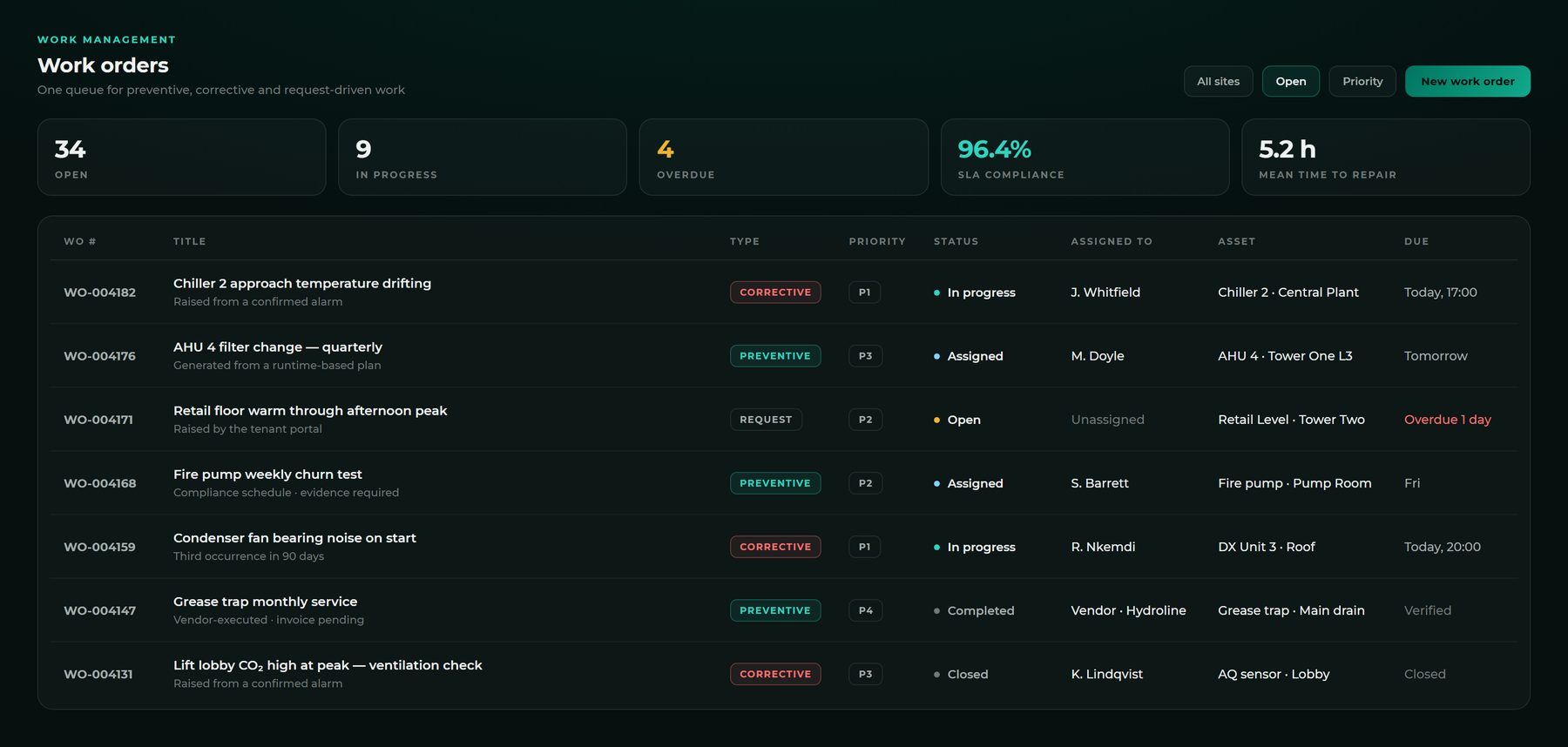
Preventive, corrective and requested work in one list.
Not three systems and a spreadsheet to reconcile them. Where a job came from is a property of the job, not a different product.
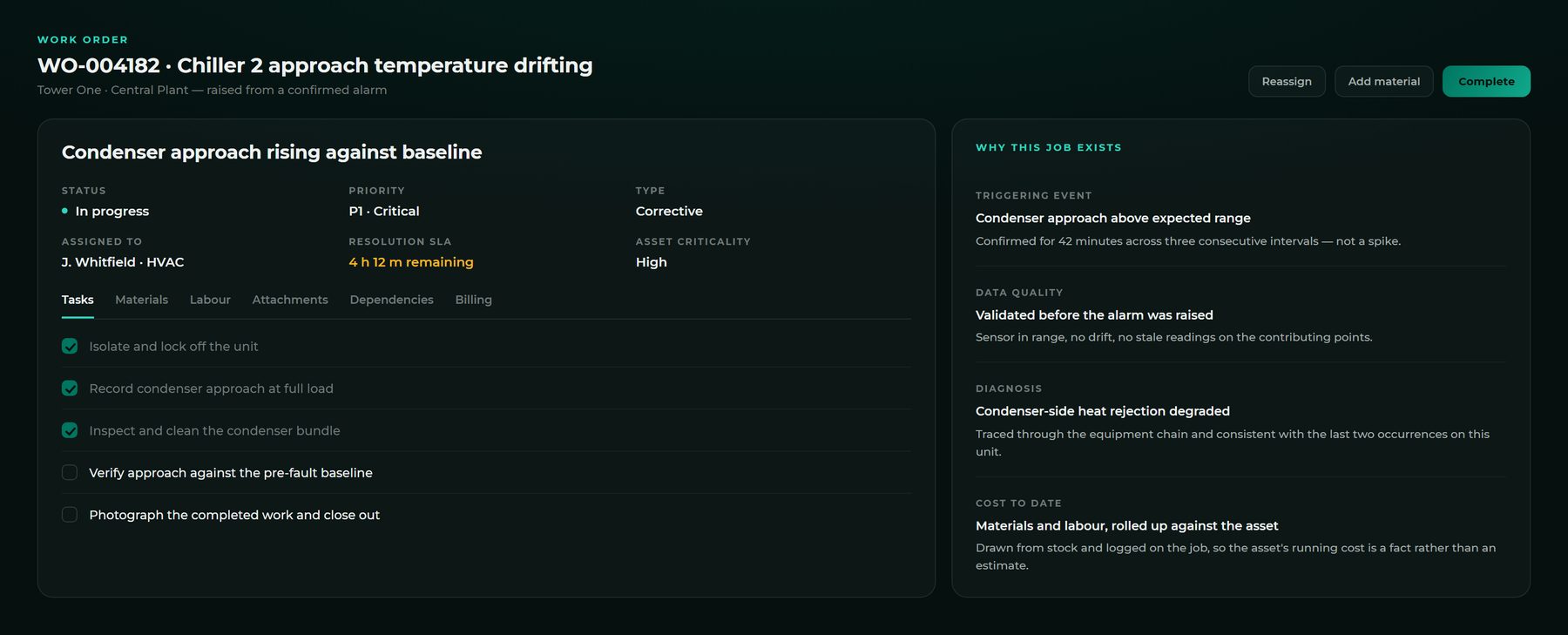
The job carries the reason it exists.
What triggered it, what validated the reading, what diagnosed the fault and what it has cost so far — attached, so nobody reconstructs the story a month later.
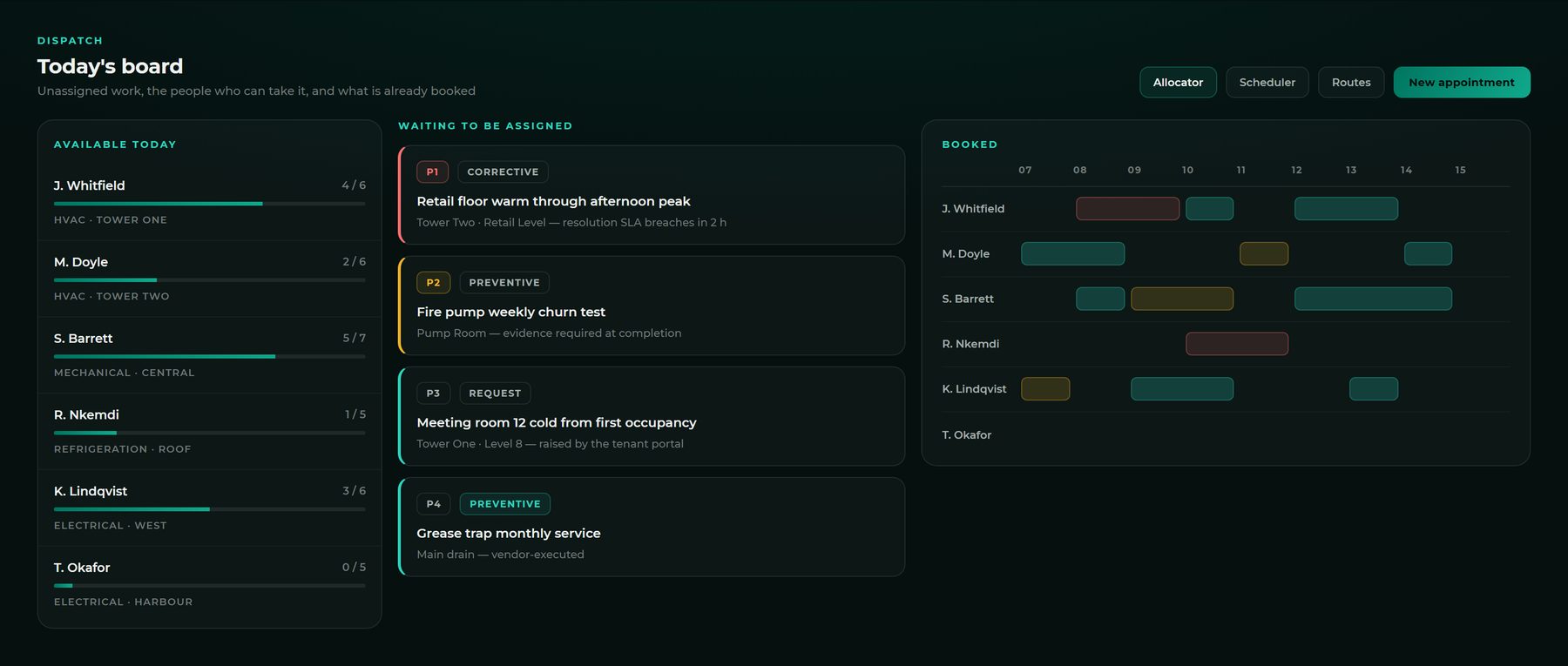
Who is free, what is waiting, what is already booked.
Assignment is a decision about skill, certification and load. The board shows all three; a person still makes the call.
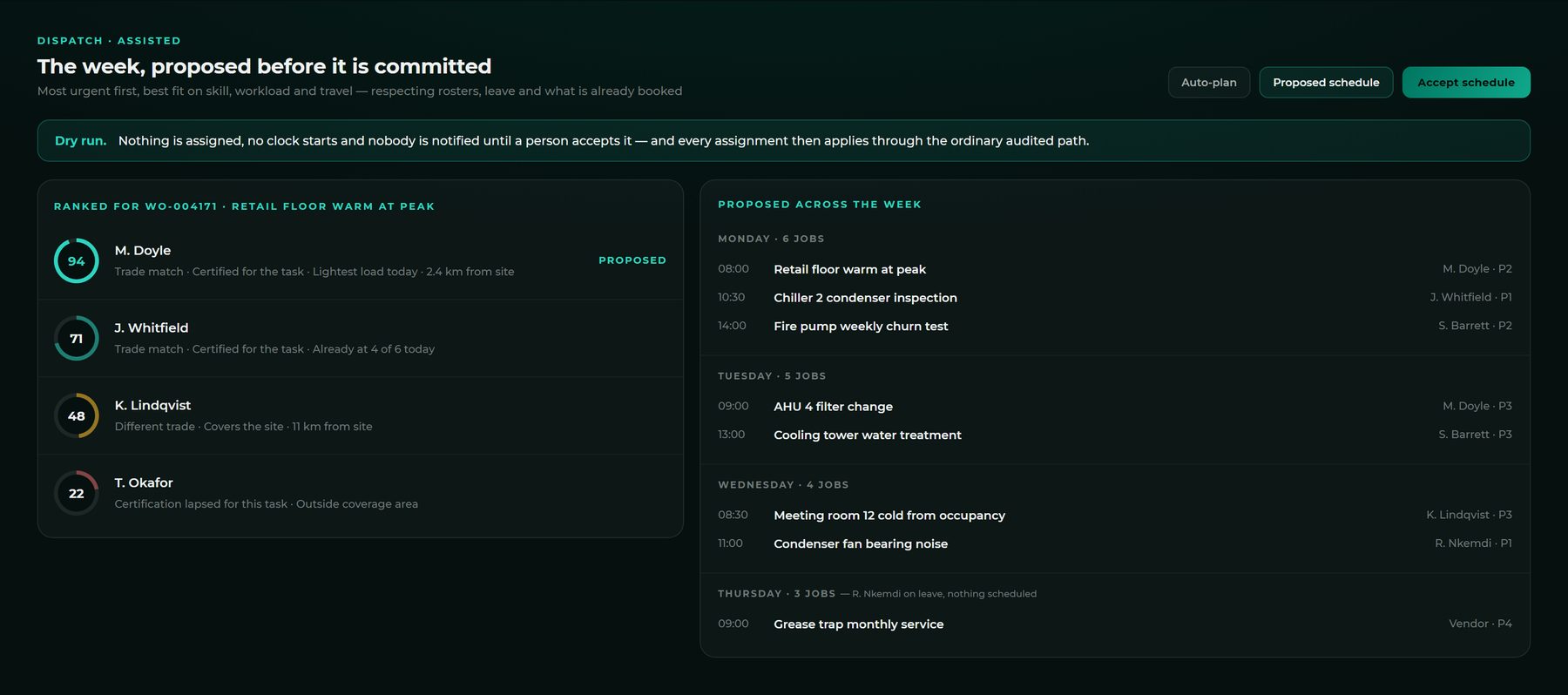
The week gets planned as a dry run first.
Candidates are ranked and the ranking shows its reasons, so it can be argued with. Nothing is assigned and nobody is notified until a person accepts it.
The 52-week plan, as it actually ran.
Completed on time, overdue or still upcoming — per schedule, per asset. The same wallchart a PPM contract is audited against.
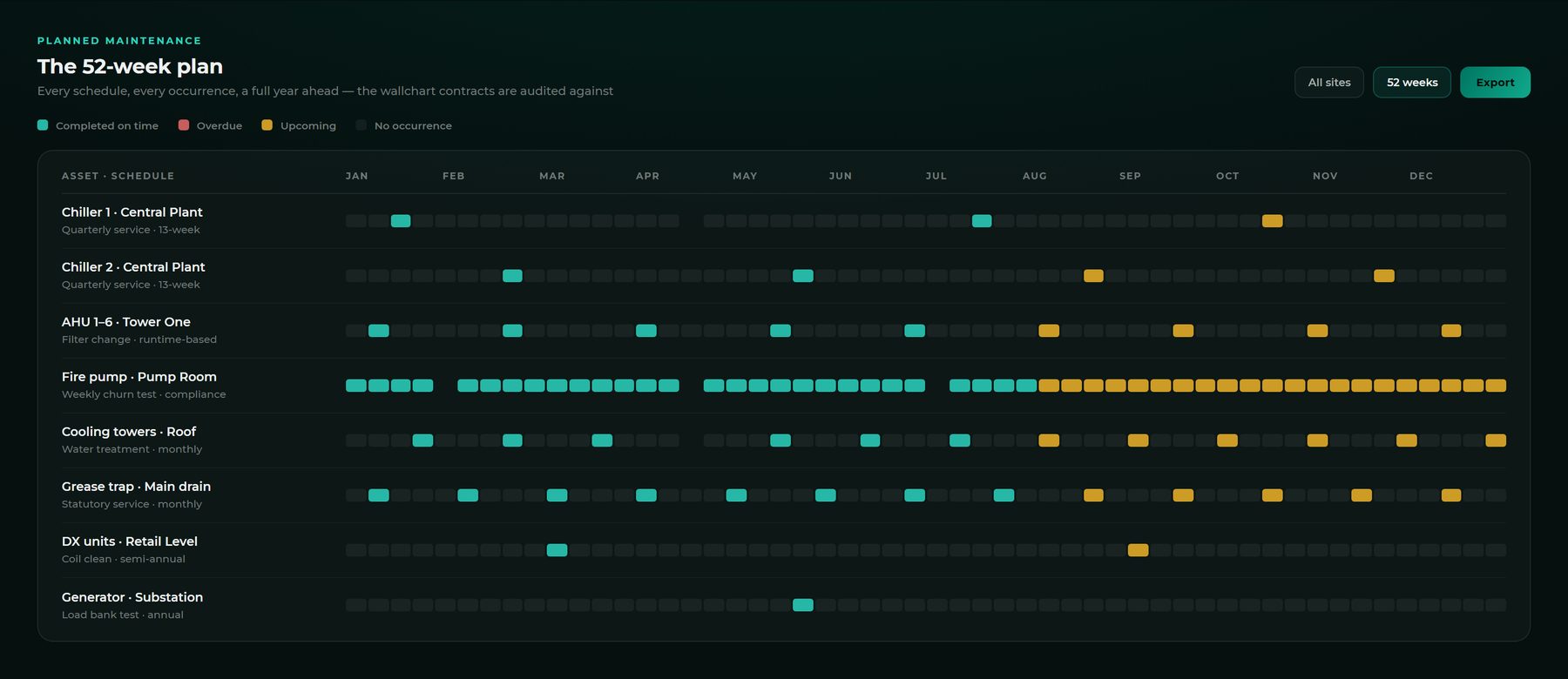
Interface representative. Figures are illustrative demonstration data.
The technician never opens the desktop.
Their own app, their own queue — the jobs assigned to them, in the order they should be done. Work is closed where it happens, not typed up afterwards from a notebook.
- Only their work, not the whole estate's
- Tasks ticked, readings and photos captured on site
- Parts drawn and labour logged against the job
- Timesheets and leave in the same app
 JW
JWEverything a maintenance team runs, in one module.
Telemetry-connected plant and static equipment sit in the same registry — an asset does not need a sensor to be maintained, scheduled or reported on.
Everything in the module
The distinction stopped being useful.
CMMS and CAFM describe different scopes: maintaining plant, and running the facility around it — space, occupancy, compliance, contractors. If you need both, buying them separately means two products that disagree about which assets exist.
Here it is one asset registry, one permission model and one audit trail, covering maintenance management and facilities management together — with the live building data underneath, which neither category of product has ever had.
The agents work inside the maintenance flow too
Detection is the obvious place for AI. The less obvious one is the work itself — where a wrong priority, a missed root cause or an unchecked invoice costs real money. Advisory by default: it suggests, a person decides, and nothing is ever blocked because a model was unsure. A team that wants a hard gate has to switch one on deliberately.
One product, not two licences
The alarm that started the job and the work order that closes it live in the same platform. No integration to build, no second asset registry to keep in step, and no findings re-keyed by hand between two systems.